 Critical Threat Research : The Iranian Cyber War Intensifies!


Comprehensive Threat Exposure Management Platform
A clean container image is not proof of a secure Kubernetes workload. New CVEs, unsafe configurations, and excessive permissions can turn an approved deployment into an active exposure.
Contact Hive Pro to review your Kubernetes container security priorities.
Kubernetes security scanning is the continuous process of finding exploitable risk across container images, manifests, cluster settings, and running workloads from build pipelines through production clusters. It catches vulnerable packages before deployment, then detects new CVEs, misconfigurations, policy gaps, and suspicious activity after workloads are live inside the cluster. The official Kubernetes security checklist recommends obtaining image vulnerability information and applying prevention measures before images reach deployment. For DevSecOps teams, effective scanning joins CI/CD gates, admission controls, and runtime monitoring with prioritized remediation based on exposure and exploitability. That approach reduces alert noise and directs engineering time toward flaws that create real attack paths, rather than treating every finding as equal.
Teams still need to decide where image findings stop and cluster risk begins, and which exposures warrant immediate action. The next section, What is kubernetes security scanning?, sets that baseline before the workflow and prioritization choices follow.
Kubernetes security scanning is the process of finding security weaknesses in container images, cluster settings, and active workloads. For DevSecOps teams, it answers a direct question: what could make a build, deployment, or live cluster unsafe? It supports fixes before release and checks after workloads begin to run.
That scope matters because Kubernetes manages apps in containers across a cluster. The CISA Kubernetes hardening guidance describes Kubernetes as a system that automates containerized app deployment, scaling, and management. Scanning follows that path from build artifact to deployed service.
A sound Kubernetes security scanning program looks at three related surfaces. Each surface can reveal a different gap. An image result alone is not a full cluster view.
This approach lets a team find issues during development, at deployment gates, and in production. It also matches how engineers build and run Kubernetes apps.
Image scanning is useful early in the pipeline. Images may contain old or unneeded software packages. A peer-reviewed container security study links such packages to added attack surface. A finding can guide an update, a smaller base image, or removal of unused software.
Yet a clean image does not prove a safe deployment. A weak access rule, exposed secret, or risky workload setting can appear after the image is built. Runtime checks show deployed state. Configuration checks test the controls that shape it.
Scanning finds and reports gaps. Broader threat exposure management adds context: which assets matter, which paths attackers may use, and which fixes come first. This difference keeps teams from treating every finding as equal.
For a DevSecOps workflow, security scanning can start in code and continue through the cluster lifecycle. Hive Pro’s code-to-cloud scanning approach gives related context for linking development checks with cloud and runtime coverage.
Kubernetes spreads workload risk across more than the code inside a container. An image can be safe at build time, then run with broad permissions or exposed cluster access. Effective kubernetes security scanning checks each layer and connects findings to a likely attack path.
A scan queue should not treat each result alike. A vulnerable package in a dormant build differs from a reachable pod using a privileged account. Exposure rises when layers connect, such as a risky image paired with broad network access.
Images are the first exposure point because they package libraries, tools, and base operating system files. Research found that container images often include outdated or unused packages, which can widen the host attack surface.
Teams should scan images in development and again in the registry before a workload is admitted. A clean build result is not permanent; a new flaw can affect the same image after release. Use a smaller base image, remove tools the app does not need, and track approved image sources.
Registry controls add supply chain context. Teams need to know who pushed an image, which digest is deployed, and whether admission rules reject unapproved artifacts. Image scanning finds package flaws; deploy controls show whether a risky artifact can enter production.
Once a pod is deployed, the control plane and worker node shape its reach. CISA’s Kubernetes hardening guidance identifies the API server, kubelet, container runtime, and host operating system as attack-surface components.
An overly open API server can expose deployment controls and stored secrets. A weak kubelet or runtime setting can give a compromised workload a path toward the node. On the host, a container escape turns one workload issue into a broader node risk.
Review public endpoints, login settings, privileged workloads, mounted host paths, and exposed control interfaces. Runtime checks can flag unexpected tools or connections outside a container’s usual flow.
Static and runtime findings answer different questions. Static results show what could be exploited in an artifact or setting. Runtime signals help show which exposure is active, reachable, or changing on a live node.
Permissions determine how far an attacker can go after reaching a pod. Overbroad RBAC roles can let service accounts read secrets or change workloads beyond their purpose. Missing network policies can allow unwanted pod-to-pod paths across an application environment.
Secret values placed in images or deployment files can remain exposed during later scans and reviews. Start with chains that cross trust boundaries: internet-facing workload to secret, pod to node, or service account to control plane change.
Then route fixes to the team that owns the image, cluster setting, or app policy. For pipeline controls and runtime context, a DevSecOps Security Platform can help map code-to-cloud checks to remediation work.
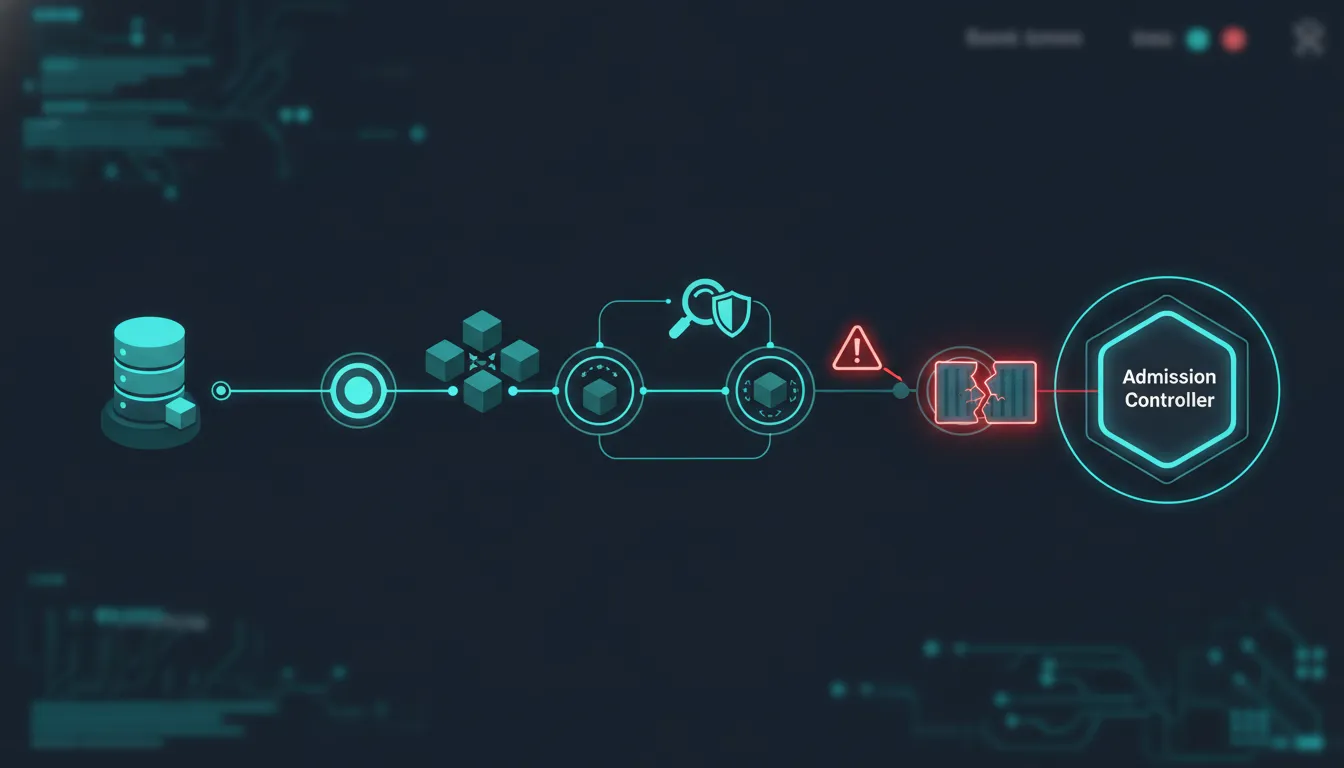
Kubernetes security scanning has two distinct jobs. Before deployment, teams examine what an image contains and whether it should enter a cluster. After deployment, teams need to see how that workload acts in its live setting. Neither view replaces the other.
Image scanning inspects a container image before release. It can show packages and known flaws that a team needs to review. This matters because images may include old or unused packages. Those packages can increase exposure, as shown in a study of container image vulnerabilities.
Registry scanning repeats that review as an image is stored or promoted for use. It provides a practical release checkpoint for the DevSecOps team. A risky base image can be held back for repair. An approved image can move toward deployment under the team’s policy.
Deployment changes the security question. A running workload now operates with cluster settings, identities, network paths, a container runtime, and its host. NIST describes potential container security concerns and ways to address them in its Application Container Security Guide.
Runtime visibility looks at the active workload and its operating context. Teams can compare this context with the approved image. They can then decide whether a finding needs review, containment, or remediation. This step connects live workload review with broader cloud vulnerability management.
| Comparison point | Image and registry scanning | Runtime visibility |
|---|---|---|
| When used | Build, storage, or release stage | Running workload stage |
| Main question | What is packaged in the image? | What is occurring in use? |
| Useful context | Packages and base image flaws. | Processes, access, and network activity. |
| Team action | Fix, reject, or approve. | Review, contain, or remediate. |
A secure workflow does not choose one approach and ignore the other. Image checks help keep known package risks from moving into production. Runtime review gives teams context once workloads are active. That added view helps teams focus on exposure that needs action now.
Start by scanning images during build and registry promotion. Set release rules for images that fail policy. Once approved workloads run, watch their live context and route findings to the right owner. This sequence joins release control with day-to-day risk review.
A useful Kubernetes security scanning pipeline follows workloads from build to production. Start with controls that stop risky images early, then keep watching deployed assets. NIST gives container security guidance for teams building this process in its Application Container Security Guide.
Discover the assets in scope. Build an inventory of clusters, namespaces, registries, images, base images, workloads, and owners. Map each workload to its code repository, deployment file, business service, and patch contact. This creates a clear work queue when a new issue appears.
Scan images before and after build. Run image scans in CI on each merge request and release build. Scan registry images again on a schedule, since an approved image can later need attention. Record the digest, package, severity, fix status, and build that introduced the issue.
Apply deployment gates. Define policy for blocked risks, accepted exceptions, image provenance, secrets, and unsafe settings. Put that policy into the admission path, so noncompliant deployments do not enter production by default. Give teams a time-bound exception flow with an owner and review date.
Monitor running workloads. Track deployed image digests, configuration drift, exposed services, and unusual runtime events. Match new findings back to the owner and active workload. Static scans show build risk; runtime context shows which finding is exposed and needs fast action.
Prioritize and remediate. Group repeat findings by base image or shared library, then fix the root source once. Rank remediation using exposure, exploit evidence, business impact, and available fixes. Feed corrected images back through CI, policy checks, and deployment validation before closing work.
Ownership keeps scanning results from becoming a backlog of alerts. Platform teams maintain cluster policy and approved bases, while application teams update dependencies and rebuild images. Security teams set risk rules, validate exceptions, and confirm that high-risk findings reach the right owner.
Connect the workflow to existing delivery steps rather than adding a separate review lane. Hive Pro’s DevSecOps Security Platform page outlines code-to-cloud protection across CI/CD pipelines. This is the operating model the scanning pipeline supports.
Track coverage and response, not scan volume alone. Useful measures include the share of active images scanned and deployments rejected by policy. Also track the age of open exceptions and the time needed to rebuild affected images. Review repeat findings to improve base images, templates, and deployment controls.
Use those measures in a regular review with security, platform, and application owners. Clear ownership helps teams fix shared causes before the same flaw appears in more builds.
Kubernetes security scanning finds risk in images and deployment settings. An admission controller turns selected findings into a gate at the API request stage. Kubernetes guidance describes admission controls as a way to enforce security policy before objects are persisted. That makes a risky deployment a review event, not a running workload.
The gate should check conditions the team can explain and maintain. A policy may require an approved image source and a scan result within the allowed risk threshold. It may also require key security settings. The Kubernetes security checklist supports using admission controls to prevent vulnerable images from being deployed.
Image approval is more useful when it covers provenance as well as vulnerabilities. Teams can verify that an image came from a trusted registry and follows their signing process. They can also stop images with high-risk findings until remediation or review occurs. This approach keeps the gate tied to deployable evidence.
Configuration findings belong in the same decision path. A scanned image may be approved, while its workload settings still create avoidable exposure. The CISA Kubernetes hardening guidance supports regular audits against security benchmarks to find configuration gaps. Admission policies can enforce the approved checks at deploy time.
For DevSecOps teams, this link between findings and deployment control reduces manual triage at release time. It also fits a broader DevSecOps Security Platform approach, where security checks sit within the delivery flow.
A block is not the end of the workflow. Some high-risk findings need a short exception while a fix is tested or a business service stays available. The exception path should record the affected image, finding, owner, reason, approval, and expiry. It should also require a follow-up scan.
Keep exceptions narrow and time bound. Permit only the named workload and image version, rather than weakening a policy for every deployment. If new scan evidence changes the risk, route the exception back for review. In this way, policy supports fast delivery without losing accountability.
Kubernetes security scanning often produces a long queue of findings across images, nodes, and active workloads. Teams should not treat that queue as a patch order. Start with findings that have a known exploit path, affect an exposed service, or sit in a workload that handles sensitive actions.
This approach keeps severity in context. A critical package in a dormant test image may matter less today than an exploitable issue in an internet-facing production pod. The NIST Application Container Security Guide outlines container security concerns and ways to address them. It supports a structured review rather than score-only triage.
Next, ask whether an attacker can reach the vulnerable component through the running application. Check whether the package is loaded and whether the service accepts untrusted input. Then check whether its identity can reach secrets or cluster resources. A finding becomes more urgent when these conditions form a usable path.
Workload context also changes the fix order. Give earlier attention to production services, privileged containers, shared nodes, and business-critical paths. Findings in build images still need action. Teams can queue them behind reachable risks when controls keep those images out of production.
For each high-risk finding, record the affected image, running workload, entry point, and possible next move. This small map helps teams separate exposed attack paths from package issues that are present but not reachable now.
A patch is not always ready at scan time. While teams rebuild and test an image, they can restrict pod communication and reduce service-account permissions. They can also remove public exposure or prevent a risky image from deployment. These controls do not close the finding, but they can limit the route to harm.
This is where container work fits continuous threat exposure management. Teams validate exposure, set a risk-based order, act, and confirm that exposure has fallen. Hive Pro describes Uni5 Xposure in this broader context, linking findings with attack paths and remediation priorities.
For DevSecOps teams, the useful output is not another backlog sorted by severity alone. It is a short, owned fix queue tied to reachable workloads and current controls. That queue helps developers address the container risks most likely to affect live operations first.
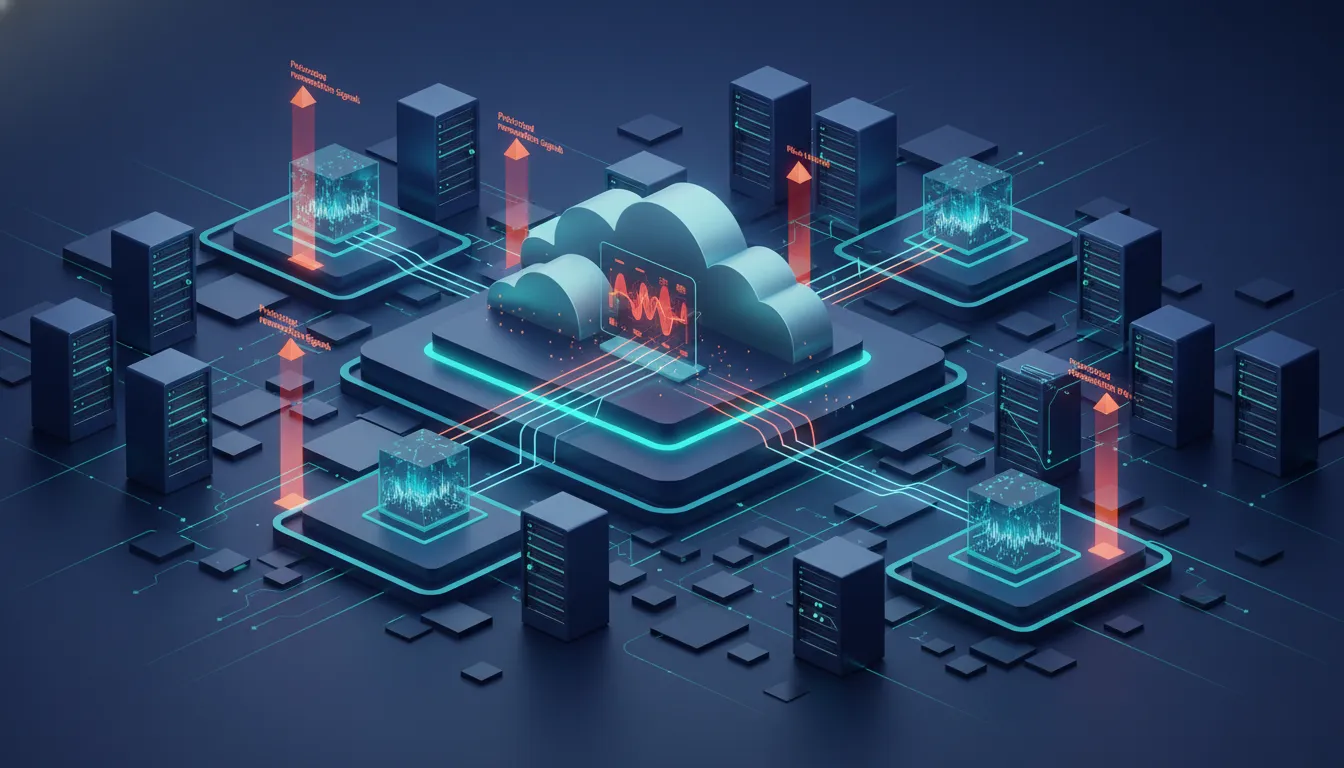
Kubernetes security scanning produces findings from container images, cluster settings, and active workloads. For a DevSecOps team, those results matter when they guide a clear fix before release or during operation. Image vulnerability management is one part of that work, not a substitute for wider exposure review.
A container image finding should lead to an action that fits the delivery stage. During a build, teams can review affected packages and choose whether to repair or hold an image. In a registry, the same review helps teams decide which approved image is ready for deployment.
That workflow keeps image issues close to the code and owner who can fix them. The aim is not to stop each build for every alert. It is to give teams a steady review point and a record of what they accepted or changed.
Image scanning does not describe every path an attacker might use in a Kubernetes environment. Container use brings security concerns that require planned safeguards. The NIST Application Container Security Guide explains those concerns and recommends ways to address them. Teams also need to review deployment settings and workload signals after an image runs.
This is where context matters. A package finding gains urgency when it sits in an exposed workload or links to a likely attack path. It may require a different response when controls limit its reach. A DevSecOps Security Platform approach helps connect scan review with the delivery process.
Hive Pro describes the Uni5 Xposure Platform as including a dedicated container scanner for image vulnerability management. Its stated approach places container security within broader attack path analysis. Teams can track image findings and consider threat exposure context through the Uni5 Xposure Platform.
The operational takeaway is simple: use image findings to start remediation, then use exposure context to set order. This gives development and security teams a shared queue of work without treating every scan result as equal.
Begin by scanning each container image during development and again in the registry before deployment. The scan should identify vulnerable packages and dependencies, then fail builds according to risk policy. The Kubernetes security checklist describes image scanning as a way to identify possible vulnerabilities and prevent them. Re-scan deployed images when updated vulnerability data becomes available.
Image scanning examines container contents before deployment, including packages and known vulnerabilities. Runtime scanning or monitoring observes active workloads after deployment, where unexpected behavior or newly identified risks may appear. Static scanning alone cannot show everything occurring in a running container. DevSecOps teams should use image checks as a release gate, then maintain visibility over production workloads.
Run a configuration audit that compares Kubernetes control plane, node, and workload settings against applicable CIS Kubernetes Benchmark checks. Review failures, confirm which checks apply to your deployment model, remediate the gaps, and re-run the assessment. The CISA Kubernetes Hardening Guide recommends regular auditing against established security benchmarks to identify misconfigurations and hardening gaps.
Kubernetes security scanning gives DevSecOps teams feedback before release and after workloads are deployed. Images may contain outdated or unnecessary packages that expand attack surface. An academic study of container images found that software updates removed roughly two-thirds of identified vulnerabilities in its dataset. Scanning helps teams identify remediation work early, while continuous review catches risks introduced over time.
Automated scanning makes security checks repeatable across build, registry, admission, and production stages. In CI/CD, teams can detect vulnerable images or unsafe configurations before deployment and apply consistent policy gates. After deployment, scheduled scans identify new findings in running workloads. Automation reduces manual review effort, but findings still require prioritization, ownership, remediation, and verification before risk is considered addressed.
Unmanaged container exposures can keep DevSecOps teams sorting alerts while deployment decisions remain harder to prioritize and fixes wait in line. Waiting to connect scan findings with threat exposure priorities can extend the time spent reviewing risk across Kubernetes environments and release workflows. Starting now gives your team a clearer path to focus remediation work, align security with delivery, and reduce unresolved exposure before it compounds.
Ready to strengthen Kubernetes container security? Bring your questions about prioritization, release pressure, and visibility from development through runtime into a focused planning conversation for your team. Contact Hive Pro to discuss container security and threat exposure management, set next steps, and identify where your workflow needs clearer priorities.